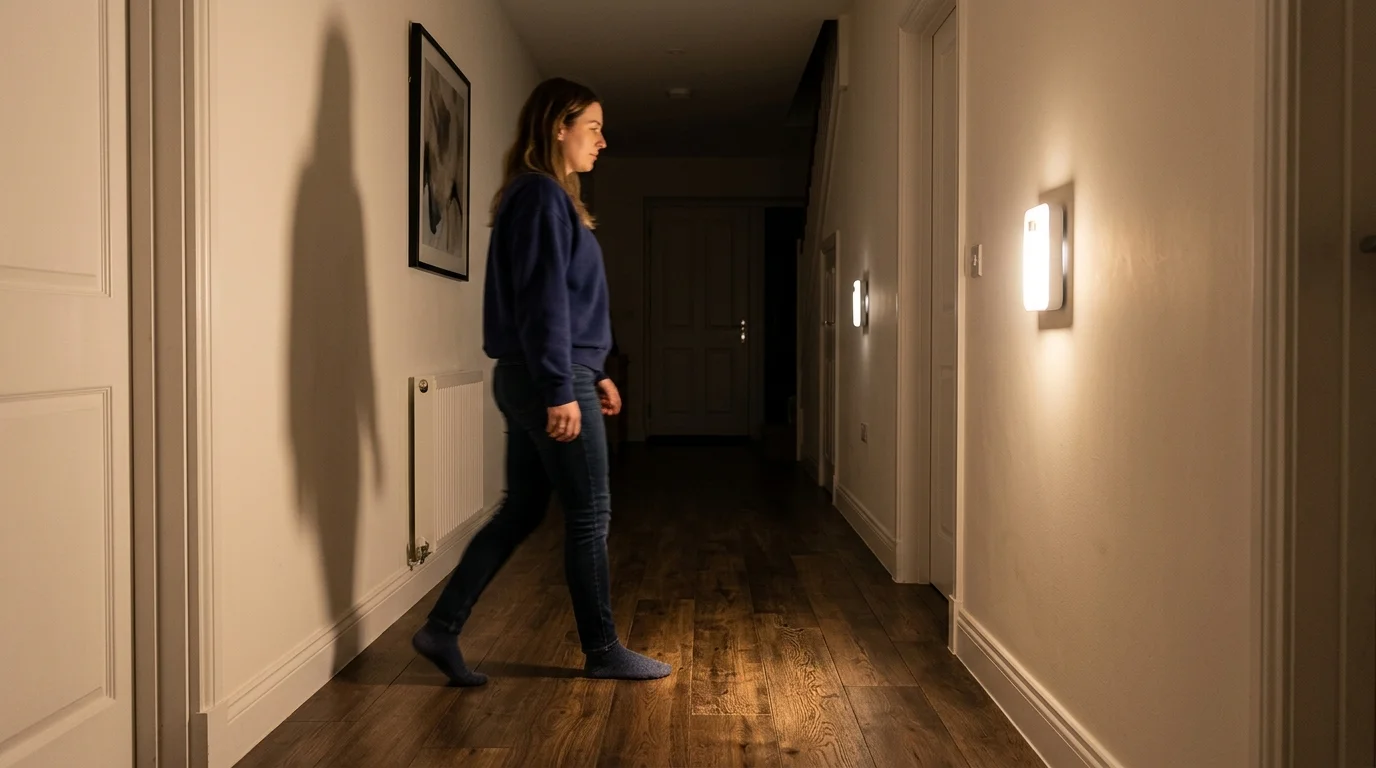
You wake up at 2 AM. Thirsty. The kitchen feels miles away in the pitch-black dark.
You shuffle forward, one hand on the wall, praying you don’t stub your toe on that chair leg again. We’ve all been there. And honestly? It’s one of those tiny problems that makes nighttime at home more miserable than it needs to be.
That’s exactly where motion lights indoor come in. They’re not just a smart gadget — they’re a genuinely practical upgrade that quietly changes how your home works, every single day.
Let me walk you through everything you need to know, from how they work to which ones actually deserve a spot in your home.
What Are Indoor Motion Sensor Lights, Anyway?
Simply put, they’re lights that turn on automatically when they detect you moving — and turn off when you leave. No switch. No fumbling. No wasting electricity.
They work using sensors that detect changes in the environment. When motion is picked up, the light switches on. When no movement is sensed, it goes right back off.
The technology behind them isn’t magic — it’s actually pretty elegant. Most indoor motion lights use one of two systems:
- PIR (Passive Infrared) sensors — these detect body heat. PIR sensors detect infrared radiation that comes from humans and animals, making them perfect for small, enclosed spaces like hallways, bathrooms, and home offices.
- Ultrasonic sensors — these detect motion by emitting high-frequency sound waves and work well for tasks that need precise detection, like motion sensor light switches in offices or schools.
For most homes, PIR-based motion lights are the go-to choice. They’re reliable, affordable, and don’t go off every time a curtain flutters.
Why Your Home Actually Needs Motion Lights Indoors
Here’s the thing — a lot of people think of motion-activated lighting as an outdoor security feature. Floodlights in the driveway, that sort of thing. But indoor motion lights? They solve a completely different set of problems.
Safety is the big one. As we age, our vision and balance aren’t what they used to be. A well-placed light can help a person get their bearings or be aware of slopes and steps. Motion-sensing lights can help prevent tripping in the night.
Even if you’re young and sprightly right now, think about elderly parents, kids running to the bathroom at 3 AM, or guests who don’t know your house layout. A motion light in the hallway is one of those upgrades that makes everyone’s life quietly better.
Energy savings are real. With the best motion lights, you use electricity only when you actually need it. That means more money in your pocket at the end of the month.
Think about how often lights get left on in closets, bathrooms, laundry rooms, or pantries. With a motion sensor, that never happens. The light is on when someone’s there, and off the second they leave. It’s autopilot for your electricity bill.
Convenience is underrated. When your arms are full of groceries, you don’t want to hunt for a light switch. When you’re half-asleep at midnight, you don’t want to blast your eyes with bright overhead lights you had to manually turn on. Motion lights just… handle it.
The Different Types of Indoor Motion Lights (and Where Each One Shines)
Not all motion lights are built the same. There’s actually a surprisingly wide range of options depending on which room you’re trying to light up.
1. Stick-On Battery-Powered Puck Lights
These are the easiest to install — zero wiring, zero tools. Compact stick-on LED puck lights are designed for targeted indoor illumination in stairs, closets, under-cabinets, and pantries.
They’re perfect for renters, for anyone who doesn’t want to deal with electrical work, or for spaces where running a wire just isn’t practical. They run on AA or AAA batteries, stick to any flat surface, and just work.
The tradeoff? You’ll need to replace or recharge the batteries periodically. Worth it for the convenience of zero installation though.
2. Plug-In Motion Sensor Night Lights
These plug directly into a wall outlet and sit flush against it. Some lights can sit on just about any surface, affixing with magnets or adhesive, while others need to be plugged into an outlet.
Night lights with motion sensors are ideal for hallways, bedrooms, and staircases — anywhere you want a soft, gentle glow when someone’s moving around at night but don’t want a full ceiling fixture blazing.
One thing worth checking: in a tight corridor, think about whether a light that plugs into an outlet may protrude too far and become a possible tripping hazard. In that setting, adhesive lights, which are often flatter, might be the right choice.
3. Ceiling-Mounted Motion Sensor Fixtures
These replace your standard ceiling light fixture — but instead of a switch, the sensor handles everything. Ceiling or panel lights work quietly in the background and turn on only when someone enters, making them ideal for kitchens, hallways, kids’ rooms, and closets.
If you’re comfortable doing basic electrical work (or hiring someone for a one-time job), a ceiling-mounted motion light is the cleanest, most powerful option. It looks like a normal light, works better than one.
4. Motion Sensor Light Bulbs
This is the sneaky genius option. A motion sensor light bulb fits into standard light sockets, making it easy to add motion detection indoors. With moderate range and brightness, it’s ideal for hallways, garages, or entryways.
You don’t replace the fixture — you just swap the bulb. That’s it. If you have a lamp or overhead fixture you already love, this is the easiest way to make it motion-activated without changing anything else.
5. Under-Cabinet Motion Lights
These live in the kitchen. They mount underneath cabinets and light up your countertop automatically when you step into the kitchen — especially useful when you don’t want to turn on the full overhead light just to grab a glass of water.
Rechargeable USB-C batteries with energy-efficient motion sensing provide weeks of intermittent use and eliminate wiring. Simple tool-free installation with strong magnets or adhesive and 120°/10 ft motion detection ensures reliable automatic lighting.
Where to Put Motion Lights Inside Your Home
Let’s get specific. Here’s a quick room-by-room breakdown of where indoor motion-activated lights make the biggest difference:
Hallways — The #1 spot. Dark hallways at night are accident zones. A motion light strips all that risk away.
Staircases — Arguably more important than hallways. Misjudging a step in the dark is how people get seriously hurt. A stair light that flicks on automatically is pure safety.
Bathrooms — Especially for nighttime trips. You want just enough light to see — not a blinding overhead that wakes you up completely.
Closets — How many times have you left the closet light on for hours? Never again.
Kids’ rooms and nurseries — Kids wandering at night need light. But you also don’t want them fiddling with switches. Motion lights handle it automatically.
Pantry and laundry room — Small spaces where lights routinely get forgotten. A motion sensor pays for itself in electricity savings within months.
Garage (interior) — Perfect for when you’re carrying boxes and can’t hit the switch.
Key Features to Look for When Buying Indoor Motion Lights
This is where a lot of people get tripped up. Not all motion lights are worth your money. Here’s what actually matters:
Detection Range and Angle
For indoor use, such as lighting hallways, bathrooms, or closets, prioritize lights with a shorter range and more compact design. Motion sensor lights with adjustable sensitivity are ideal, as they can detect movement in smaller spaces and ensure the light doesn’t turn on unnecessarily.
Most good indoor motion lights have a detection angle of around 120°. That covers most rooms comfortably. Look for at least a 10-foot range for rooms, or 5-8 feet for closets.
Brightness Level
Among motion sensor lights, brightness levels vary dramatically. Some versatile lights can be adjusted by remote or via controls on the lights themselves.
For nighttime use, you actually don’t want the brightest option. A softer, warmer light (look for 2700K on the color temperature scale) is ideal for not jolting you out of sleep mode. For a kitchen or workspace, go brighter and cooler (4000K–5000K).
Power Source
Three main options:
- Battery-powered — easiest to install, needs occasional battery swaps
- Plug-in/wired — reliable and consistent power, no dead batteries ever
- Rechargeable (USB-C) — best of both worlds, most modern option
Auto-Off Timer
Auto-off after 20 seconds may be short for prolonged tasks unless using always-on mode. Look for lights that let you adjust the off-delay — 30 seconds to 2 minutes is the sweet spot for most indoor spaces.
Manual Override
If you’d rather skip the motion-sensing and want the option to set a light to stay on at all times, look for a light with a “manual override” button or switch. Many motion sensor lights have this, but some do not.
This matters more than people realize. There are times you want the light to just stay on — when you’re doing a task in the closet, or when guests are using the bathroom. A manual override gives you that flexibility.
Smart Motion Lights: Worth It or Overkill?
Here’s a genuine question: do you need your motion light to connect to Wi-Fi?
For most people, probably not. A $15 battery-operated puck light does 90% of what a $60 smart motion sensor does — and you don’t need an app to use it.
That said, if you’re already building a smart home, smart motion sensor lights integrate with Apple Home, Google Home, Alexa, or Samsung SmartThings. You can set timers, build routines, and choose brightness. The possibilities are endless.
Smart lights also let you get creative. Imagine triggers that cue your favorite playlist or flash outdoor lights if your security camera spots movement. That’s genuinely cool — if you’re into that kind of setup.
For most people just wanting convenience and safety though? Keep it simple. The basic options work incredibly well.
Installation Tips to Get the Most Out of Your Indoor Motion Lights
You’ve picked your light. Now let’s make sure it actually works well once it’s up.
Place the sensor where it can “see” movement — Sensors need a clear line of sight to work properly. Don’t tuck them behind a door or in a corner where movement happens out of their range.
Avoid pointing them at heat sources — PIR sensors work by detecting body heat. If they’re near a heater, radiator, or sunny window, you’ll get false triggers constantly.
Test the detection angle before finalizing placement — Walk around the space after installing and watch where the sensor picks you up (and where it doesn’t). Adjust the angle before permanently mounting anything.
For hallways, mount at about waist-to-chest height — “When you walk right straight into the light, the source, it sometimes doesn’t see you until you’re very close,” says one consumer testing expert. Mounting at waist height means the sensor catches you as you approach, not after you’ve already passed it.
Layer your lighting — One motion light rarely covers a whole room perfectly. For larger spaces, consider 2-3 smaller units rather than one big one.
How Much Do Indoor Motion Lights Actually Save on Electricity?
Let’s do some real-world math here.
A typical light bulb left on in a closet or hallway for 8 hours a day uses roughly 120-160 kWh per year. At average electricity rates, that’s around $15-20 per light, per year — just from forgetting to flip a switch.
Motion lights eliminate that almost entirely. They’re on for maybe 10-15 minutes total per day in low-traffic areas. That’s a 90%+ reduction in energy use for those fixtures.
Motion sensor lights can save you up to 86.7% on your lighting electricity bill compared to standard lights that run continuously. Across 4-5 lights in closets, bathrooms, and hallways? You’re looking at a meaningful chunk of savings every year.
The lights pay for themselves. Often within the first year.
Common Problems with Indoor Motion Lights (And How to Fix Them)
Light triggers when no one’s there — This usually means the sensitivity is too high, or the sensor is picking up a heat source (like a vent or window). Lower the sensitivity or reposition the light.
Light doesn’t turn on when I walk in — You might be walking parallel to the sensor instead of toward it. PIR sensors work best when you’re moving toward them, not across their field of view.
Light turns off while I’m still in the room — The sensor has lost track of you, usually because you’ve been sitting still for a while. Look for a light with adjustable timeout or a manual override to keep it on during extended sessions.
Battery dies too fast — If the light is in a high-traffic area, it’s triggering constantly and draining power quickly. Consider switching to a plug-in or hardwired option for busy spots.
Quick Comparison: Types of Indoor Motion Lights at a Glance
| Type | Best For | Power | Install Difficulty |
|---|---|---|---|
| Stick-on puck lights | Closets, stairs, under cabinets | Battery | Very Easy |
| Plug-in night lights | Hallways, bedrooms | Outlet | Very Easy |
| Ceiling fixtures | Kitchens, bathrooms | Wired | Moderate |
| Motion sensor bulbs | Existing lamps/fixtures | Wired | Very Easy |
| Under-cabinet lights | Kitchen counters | Battery/USB | Easy |
Final Thoughts: Start Small, Then Expand
If you haven’t tried indoor motion-activated lighting yet, start with one spot — probably your hallway or staircase. Pick up a simple battery-operated puck light or a plug-in night light. Install it in five minutes. Live with it for a week.
You’ll wonder how you ever got along without it.
The beauty of indoor motion lights is that they’re one of those home upgrades with zero downsides. They’re safer than traditional lighting. They use less energy. They’re more convenient. And they’re genuinely affordable — you don’t need a big budget or a contractor to get started.
Once that first one is in, you’ll start noticing every other dark corner of your home that could use the same treatment. That’s totally normal. Welcome to the club.
Frequently Asked Questions
Q1. Do indoor motion sensor lights work in complete darkness? Yes — most indoor motion lights are designed to activate specifically in low-light or dark conditions. Many include a built-in ambient light sensor so they won’t turn on during the day, even if motion is detected, saving battery life and energy.
Q2. How long do batteries last in battery-powered indoor motion lights? It depends on how often they trigger. In a low-traffic area like a closet, batteries typically last 6-12 months. In a busy hallway, you might need to replace them every 2-4 months. Rechargeable USB-C models extend this significantly since recharging is easier than buying new batteries.
Q3. Can indoor motion sensor lights be used in bathrooms? Yes, but check the product specs. Standard indoor motion lights are fine for bathrooms that aren’t directly exposed to water spray. For humid or wet areas like near a shower, look for lights with at least an IP44 rating, which indicates protection against water splashes.
Q4. Will my pet trigger indoor motion sensor lights? Possibly. PIR sensors detect heat signatures from any warm-bodied creature, including cats and dogs. Some higher-end models have pet-immune settings that ignore motion below a certain height threshold. If false triggers from pets are a concern, look specifically for pet-immune models.
Q5. What’s the difference between a motion sensor light and an occupancy sensor? They’re very similar but not identical. A motion sensor light typically activates when movement is detected and turns off after a set timer. An occupancy sensor goes a step further — it can detect very subtle movement (like someone sitting still at a desk) to keep lights on as long as any person is present. For home use, standard PIR motion lights work great. Occupancy sensors are more common in offices and commercial spaces.